Apply for Dual Enrollment
Already enrolled? Visit the HSDE Student Portal for your courses, semester information, billing, resources and support.

 Search



Complete a new high school dual enrollment application and access resources for students, parents, and school officials.
Already enrolled? Visit the HSDE Student Portal for your courses, semester information, billing, resources and support.
Recommended: Apply by August 17 for timely access to your courses.
Final deadline: August 24 (first day of classes).
Note: Applications for courses that have not yet started (i.e., 8-week courses or courses taught at your high school) are still be accepted for Fall 2026.
Start here if you do not already have a South Dakota public university email and password.
Create An Account Complete Your Application Account Dashboard Request Course ChangeSign in with your existing South Dakota public university email and password to apply for another semester or manage your application.
Sign In to Apply Request Course Change Account DashboardWatch a step-by-step application walkthrough and learn how to update your application information if necessary.
Watch Student Application Walkthrough Update Account Profile Update Co-Signers Submit Support Ticket


Click each step to expand and learn more...
After you submit your application, we’ll send important updates as your application is processed.
You’ll receive emails about:
Be sure to check your email regularly, including your spam or junk folder, so you don’t miss important information.
(First-time High School Dual Enrollment students only)
If this is your first semester taking High School Dual Enrollment courses through a South Dakota public university, you’ll receive instructions for activating your university account and email.
Your university email is your official college email address and provides access to:
Returning students should continue using their existing university email account.
Before classes begin, take a few minutes to make sure your technology is ready for online coursework.
The Technology Check includes:
Taking a few minutes now can help prevent technical issues once classes begin.
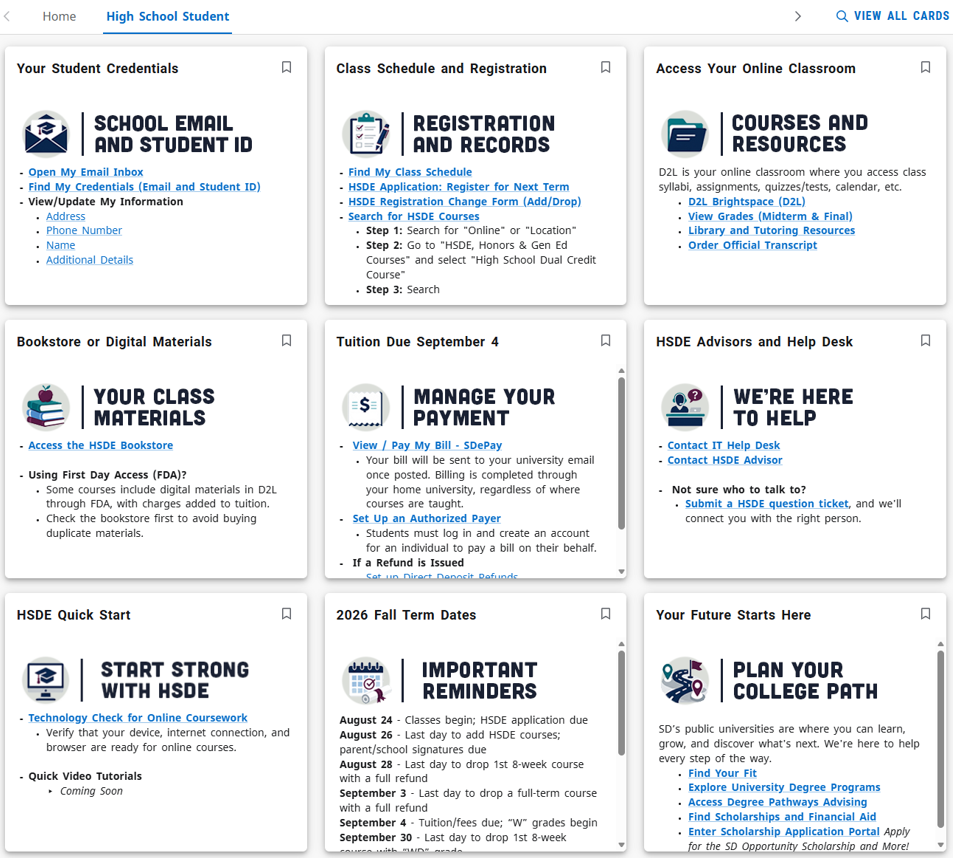
The HSDE Student Portal is your home base before and during your semester.
New to the portal? Watch this quick overview to see where to find your courses, university email, billing information, important dates, support resources and more.
▶ Watch the HSDE Student Portal Overview
Once you’ve activated your university account, sign in using your university email and password to access:
Bookmark the Student Portal—you’ll use it throughout your High School Dual Enrollment experience.
Sign In to the HSDE Student Portal here.
The HSDE Student Portal is accessible only through a student’s university email address and password. Parents and guardians are encouraged to explore the portal alongside their student.